nopetnoget

← Back to the project card

Duda review: what we found in testing

Author: nopetnoget editors ·

Summary

The project team positions their solution for agencies and freelancers. In our opinion, this solution is more oriented toward agency work or SMB. Simple booking and marketplace solutions have been added. In any case, this is a solution for those who don't want to deal with programming or site generation directly through popular AI models and for whom template solutions are an acceptable approach. Because most likely you will have to work with templates rather than generation.

Verdict: 5/10. An attempt to morally update Wordpress and sell it under the AI brand. First thing to do: AI-powered site generation, the core function didn't work at all in our test.

Test scenario

Step 1

Is it clear in 10 seconds what the product does and who it’s for?

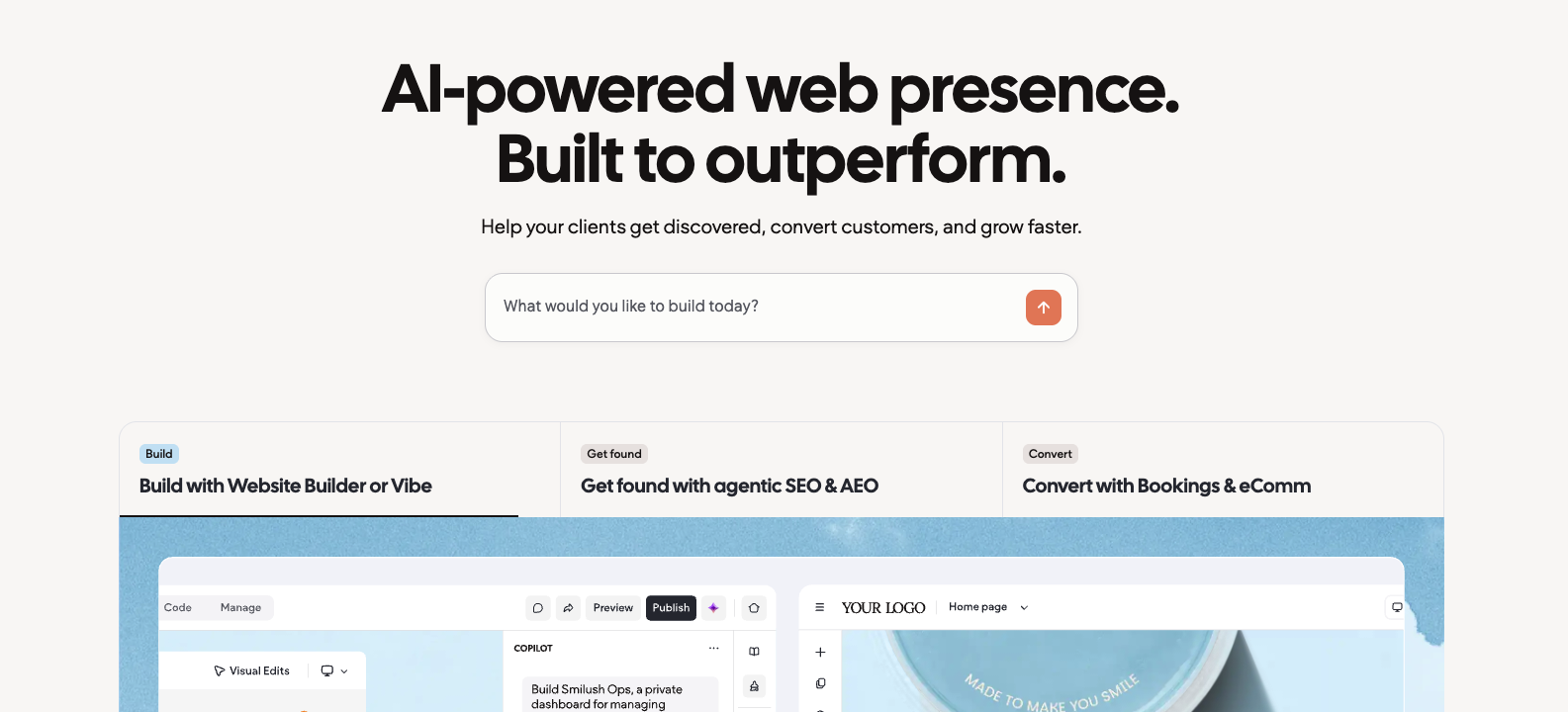
On the main page on the first screen there is a hero headline: "AI-powered web presence. Built to outperform. Help your clients get discovered, convert customers, and grow faster", which doesn't actually reveal the full picture of what the project is about and what its strengths are. But below this headline there are 3 key service advantages: Website Builder or Vibe (something like a ready no-code builder), adapting sites to SEO and AEO requirements, and Bookings and eComm modules to provide the commercial component of generated solutions.
Is it clear in 10 seconds what the product does and who it’s for?

Step 2

How many sign-up steps are there, and is a card required immediately?

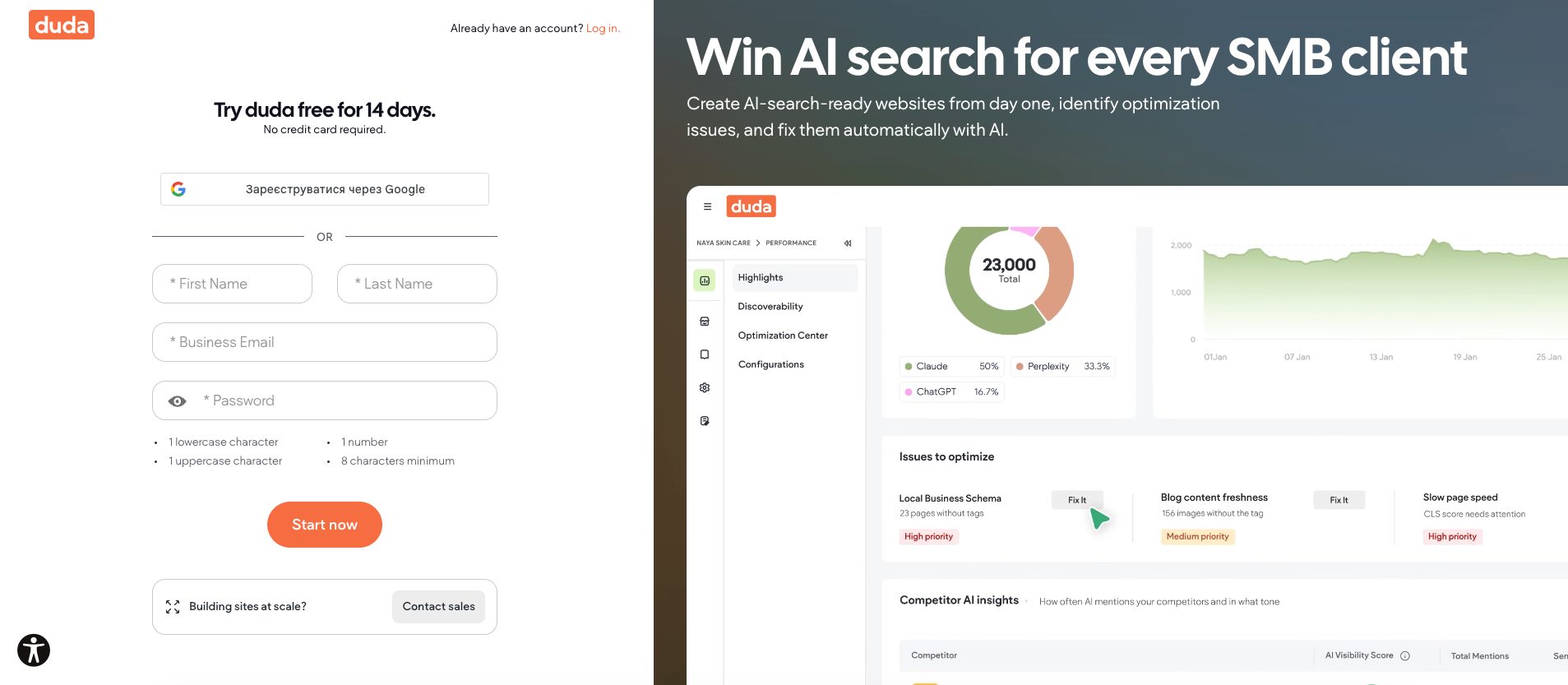
On the registration page, future customers have the option to choose two paths – registration via Google Auth module and directly by filling in an email/password form. This was likely done because the team expects a certain number of registrations from customer corporate emails that are not Google emails. A thoughtful and balanced approach. The page is not cluttered. On desktop, the project team tries to use all available page space to "sell" their service and should be noted they do it quite correctly. The only thing that might deter from registering to test the web builder is the headline Try duda free for 14 days, which makes the user understand they will only have two weeks for testing. A plus is that you don't need to provide a credit card during registration and the start of the trial period (No credit card required).

How many sign-up steps are there, and is a card required immediately?

Step 3

Are newcomers guided, or dropped into an empty interface?

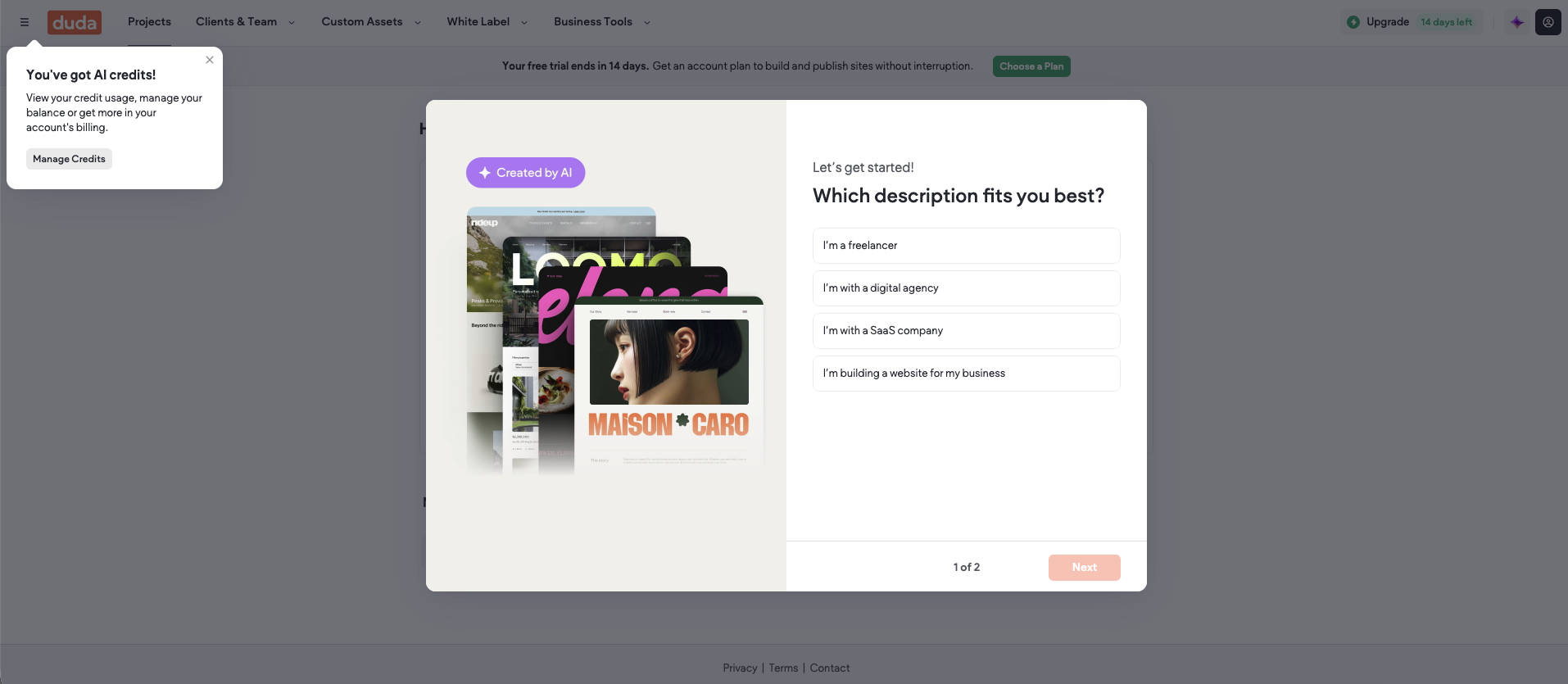
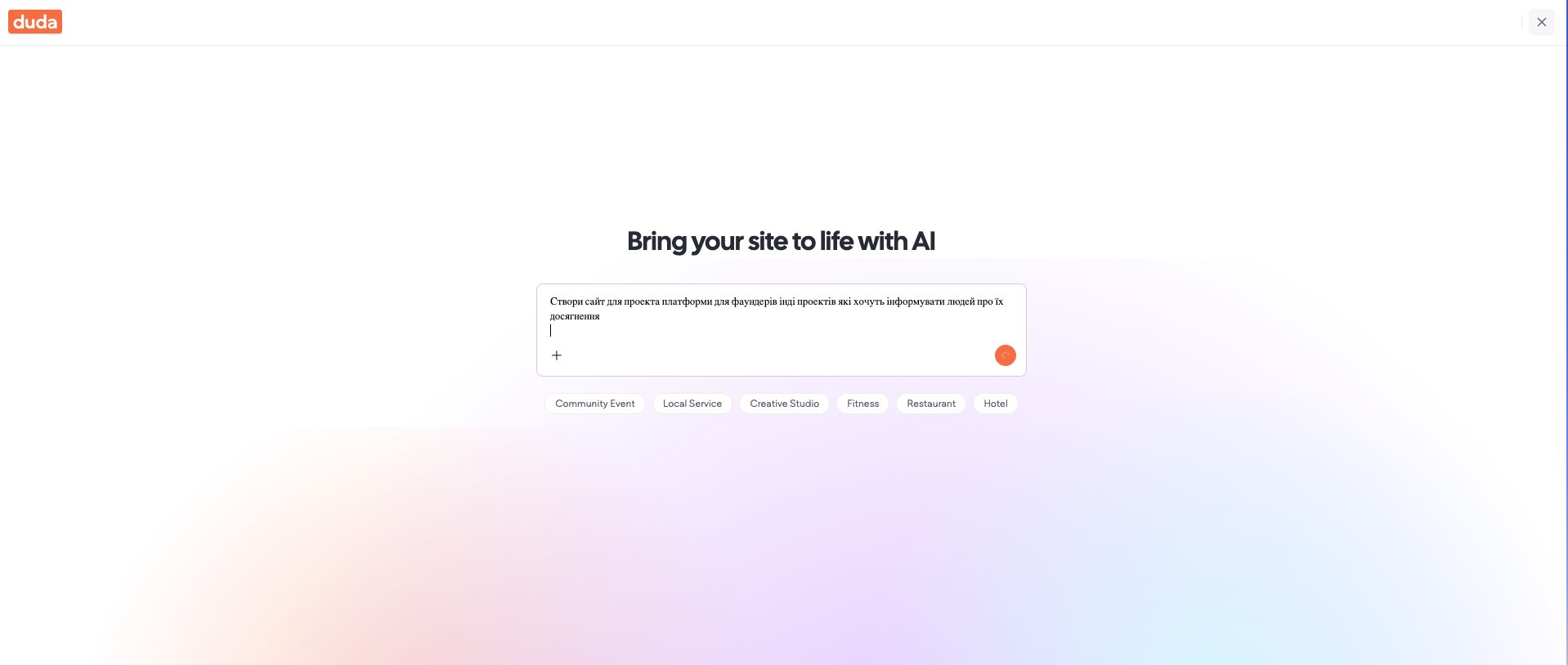
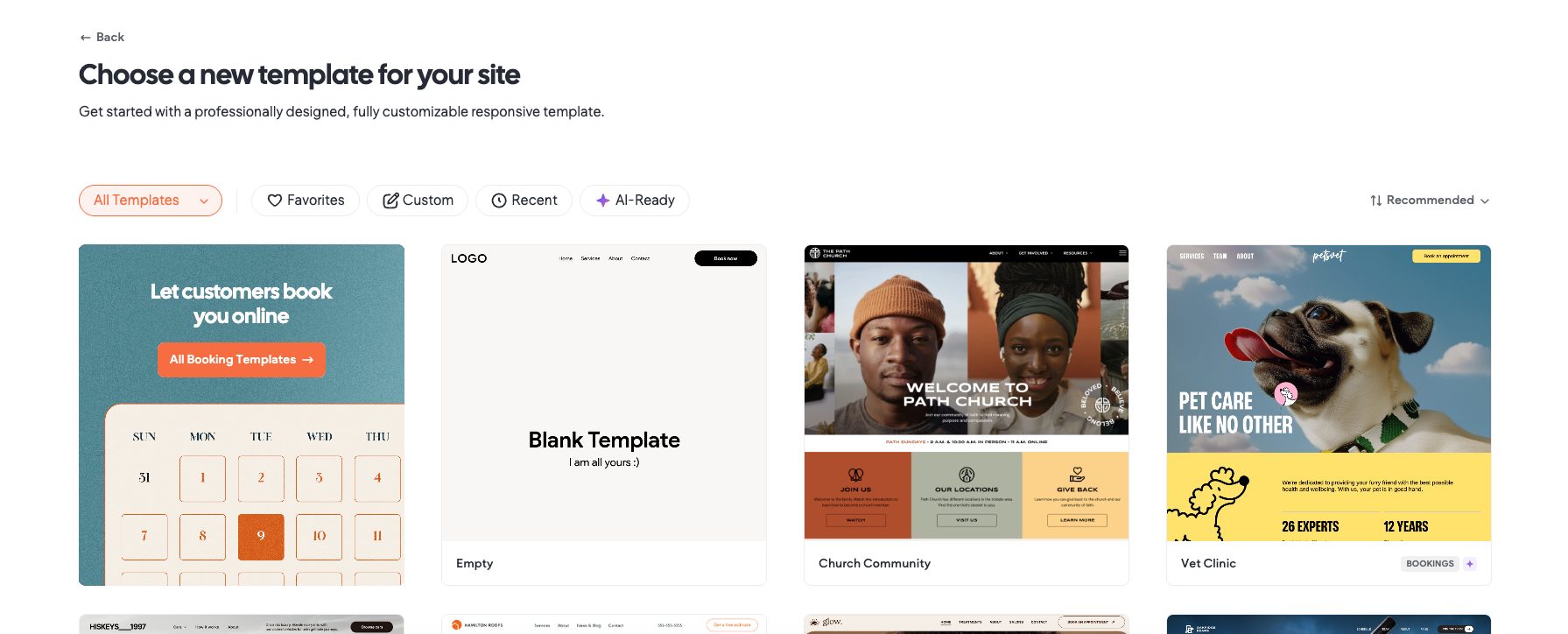
After authorization you immediately get to the Onboarding page with a survey and a warning: "Review credit usage, manage your balance or get additional resources in your account billing section", hinting that you will need to pay for full usage. After completing the survey you realize this is receiving additional information from the service for the further sales process, they will sell you your "pains". On the dashboard you can choose 2 options for further use – getting "first value": 1) build a site from a template (emphasis on this) or 2) using AI. If you choose "Create site from template" you will be able to select one of 128 ready-made solutions and customize it. The interface is very similar to the popular CMS platform Wordpress. When choosing AI generation mode – you will only have access to a prompt generation form with ready prompts for the most popular website categories: Local Services, Restaurant, Hotel, Community Event, Creative Studio, and Fitness.

Are newcomers guided, or dropped into an empty interface?

Step 4

How long from “Get started” to the first useful result?

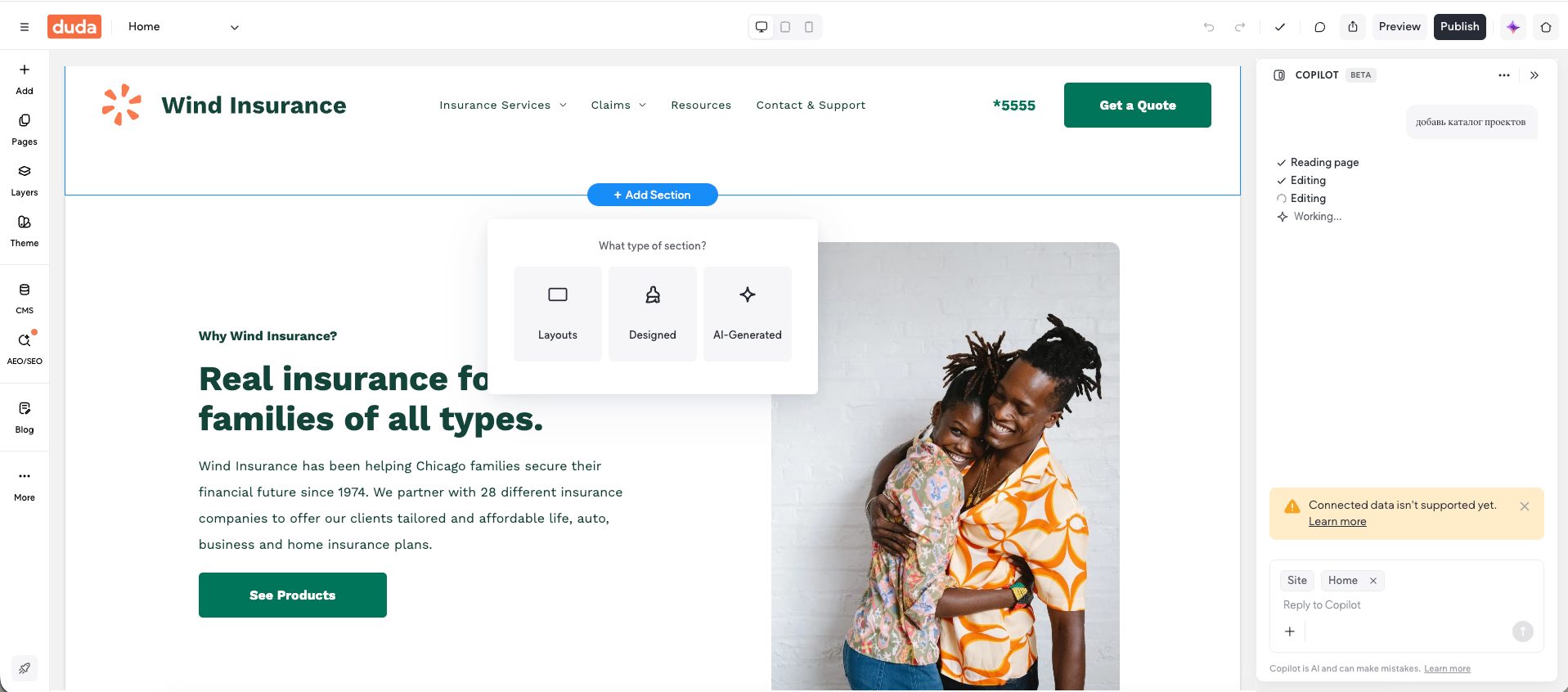
Essentially, to get first value as quickly as possible, you need to use the first option – Create based on template. This way you get a "template" where you can change headings and adapt blocks using a more or less convenient builder (Builder), but when you want to add personalization using AI Copilot (by the way the team notes that this option is in Beta mode), the result becomes not as good and expected. Our AI assistant didn't do very well with our task, it would be much better if the AI assistant didn't generate "on the fly" but instead chose ready solutions from template components. Generated images and not very good typography work – that's what we encountered. Time: 3:03

How long from “Get started” to the first useful result?

Step 5

Does the product work on a different task beyond the demo case?

In the second scenario we tried to get a ready-made catalog website for vibe coders (like nopetnoget), expected result time – over 15 minutes. We didn't wait. Among the negatives we noticed at the generation stage – not very responsive generation form, small font, ready prompt buttons overwrite your written prompt. There is a button to close the form, but it looks like a dialog window close button, not a page exit. The generation button doesn't provide feedback on whether it's free or how many bonuses will be spent, the button itself is very small and during generation is combined with a loader. It's just not clear what happens if you click on it again, and this possibility remains. It's unclear what exactly happens during generation and there's a feeling that this machine "froze". Step failed: Failed to generate a site using the AI generator. Time: 15:46

Does the product work on a different task beyond the demo case?

Step 6

Where does the free plan end, and what breaks on unusual input?

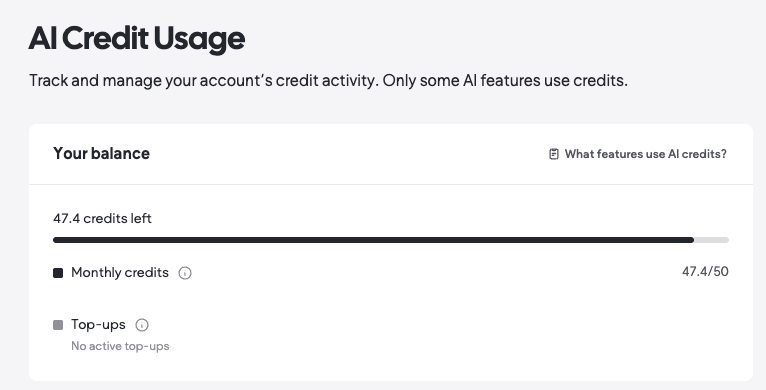
The project team immediately reminds you that in 14 days you will need to pay an invoice if you want to continue using the service. During the trial period we didn't notice limitations in generation attempts or available templates. And it seems the Trial period is as fair as possible, but you only have 50 bonuses on your balance, they're spent not super fast, but you won't be able to understand this before requesting generation. Plus no freemium. The service team reminds you on every page about your "limitations" with a neat notification near the logo.

Where does the free plan end, and what breaks on unusual input?

Step 7

On the payment screen, is it clear what you are paying for?

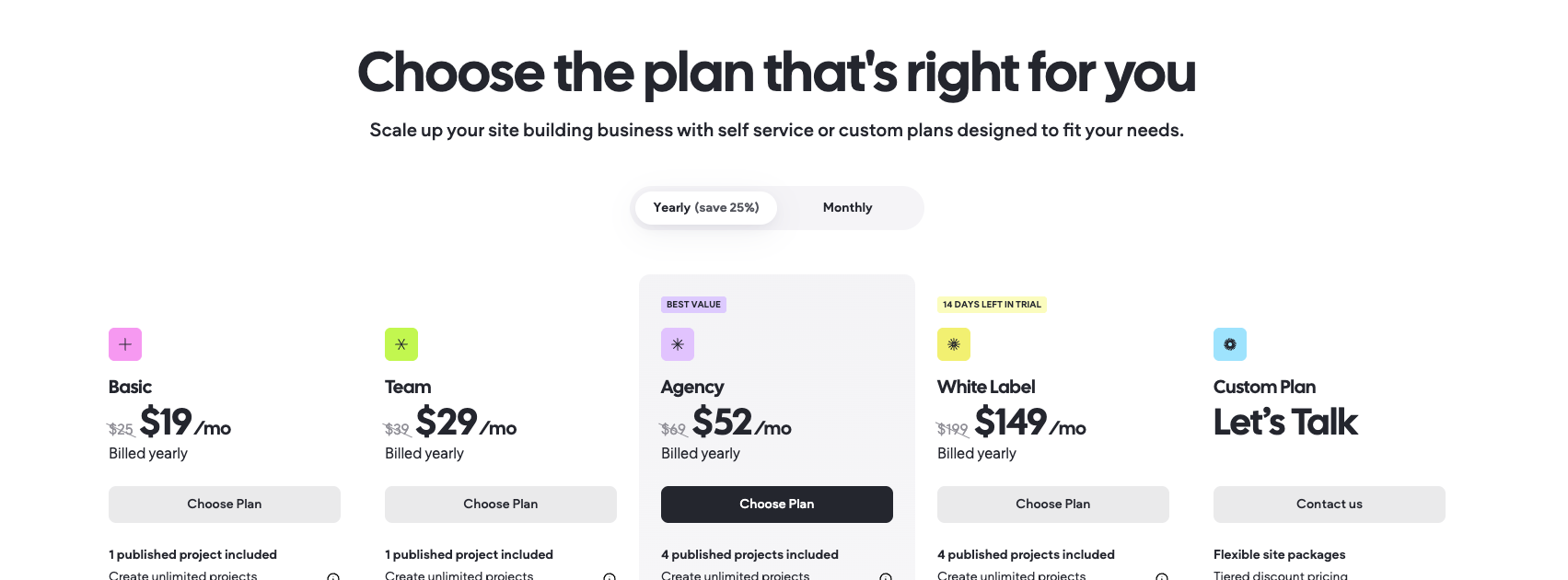
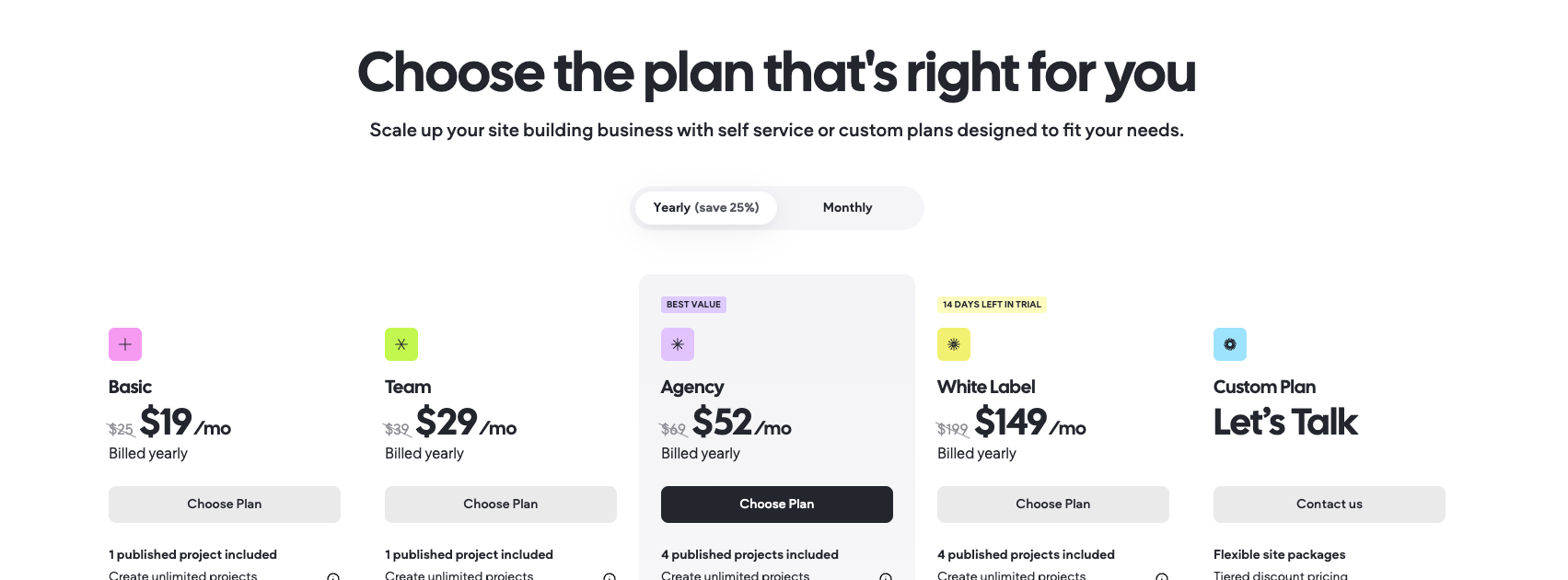
The tariff grid has 5 tariff plan options, the difference between them is not in the number of tokens, but in control options you can get: number of team members, code access and support services etc. The project team emphasizes the tariff plan at $52 per month (which will cost you $69 if you pay monthly) and will allow you to launch 4 projects. The basic plan starts with 1 project at $19 per month with annual commitment – $228 per year. The quality of "first value" and inability to get "second value" creates a feeling of overpriced prices, first, you have to pay monthly for your site, second, this is a minimal amount that will severely limit you in support capabilities and team work. Also on the page https://my.duda.co/home/dashboard/user/ai-credit-balance there is a tariff comparison block. So the project team probably tries to reduce churn rate by providing more control when choosing paid plan options.

On the payment screen, is it clear what you are paying for?

Step 8

How do you unsubscribe, delete the account, and export your data?

We didn't find the ability to delete your account in the cabinet on the profile page. But you can manage/cancel paid subscriptions directly in the cabinet. Nothing special.

Three focus questions

Focus 1

How clear is the product onboarding?

Everything is clear, there were no difficulties either during registration or during generating "first value" based on a ready template from 128. To the founder: You can leave the onboarding as is, everything is great.

How clear is the product onboarding?

Focus 2

Is the pricing logical?

The limitation is not in the number of generation attempts, but in the number of options that expand your control over creation, management, and access to the project, both at the team level and at the code level. To the founder: Simplify tariffs and their understanding for clients.

Is the pricing logical?

Focus 3

Does the product suit the stated target audience?

In our opinion it's slightly overpriced, freelancers will look for more affordable generation options, including with native chats of popular AI models. For agencies or SMB this could be useful when creating - generating additional value or supplementing core solutions for promotional campaigns or new business directions. To the founder: Emphasize the value for the project's target audience. There's a feeling that the project team is still searching for their target audience.

Takeaways

01 What worked The website builder makes it very simple and quick to create ready-made solutions.
02 What annoyed Complex tariffs, the need to pay monthly for a generated site. Site generation with AI doesn't work, we couldn't get a "generated" site. Essentially this is an attempt to morally update the familiar Wordpress in this segment. But it should be noted that the latter has an "unlimited" number of templates on developed modules and is very often used completely for free.
03 Who it’s not for Freelancers or developers who want to get a unique or personalized website option. Those not willing to pay for generation of template websites.
04 Fix first AI-powered site generation, the core function didn't work at all in our test.

← Back to the project page